Code Coverage With Codecov and Coveralls
Platforms such as Codecov and Coveralls are automated online code coverage services that allows you to keep track of the code coverage overtime.
Codecov
Registration
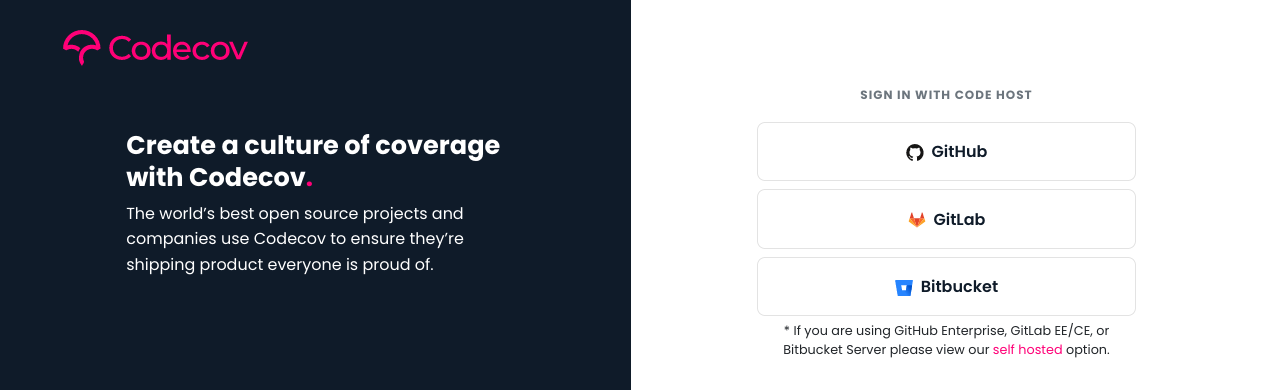
Sign up for an account via the Codecov sign up page with either your Github or Gitlab account. Codecov would then require some access to be authorized, select them accordingly and proceed with authorizing the access.
Repository selection

After the registration, you would be brought to a page to select the
repository for code coverage. Click on the Add a repository button and
select the repository of interest from the list. (Alternatively, you
could specify the repository directly in the link:
https://codecov.io/gh/<username>/REPO)
The Upload token would be shown, take note of it as we may need to use it later on.
Via Github Actions
To upload the report, the bash uploader provided would be used. However, the project token has to be specified before the upload. To setup the token, we would be using the Action secrets to store the Codecov token. Access the page via the repository settings, followed by Secrets on the side panel.

Click on the New Repository Secret button and you would be brought to a new page.
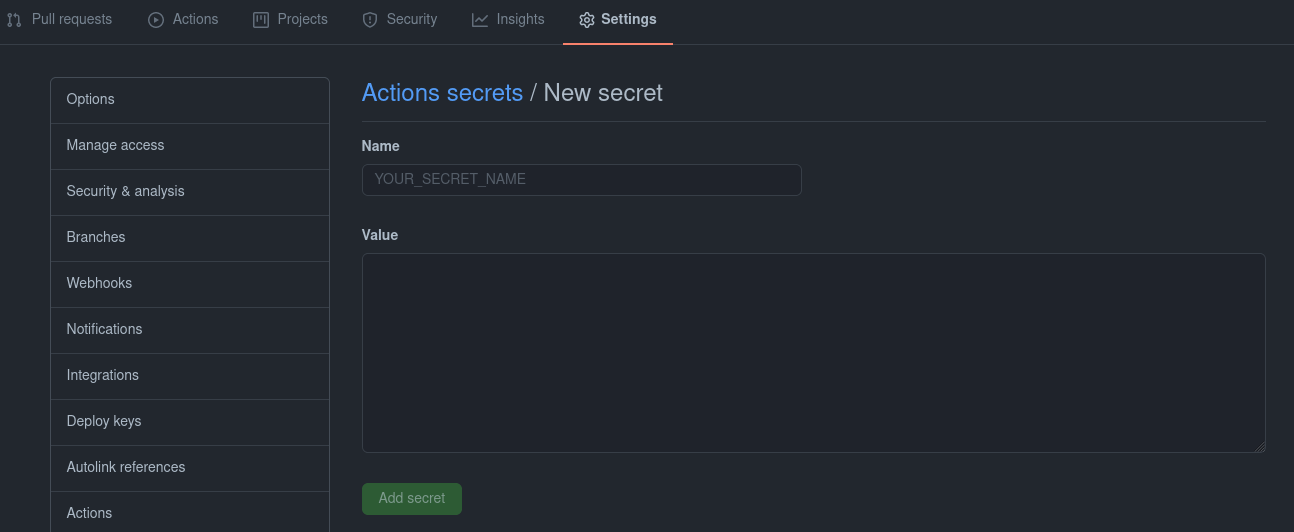
Enter the following into the respective textbox:
Name: CODECOV_TOKEN
Value: {Your Codecov Token, as shown previously}
After the token has been added, the CODECOV_TOKEN variable should
appear under the repository secrets section. Next, append the following
lines (after the industrial_ci job section) to your github action
configuration file located in .github/workflows directory:
name: CI
on: [push, pull_request]
jobs:
  industrial_ci:
    strategy:
      matrix:
        env:
          - {ROS_DISTRO: foxy, ROS_REPO: main}
    env:
      CODE_COVERAGE: codecov.io
    runs-on: ubuntu-latest
    steps:
      - uses: actions/checkout@v1
      - uses: 'ros-industrial/industrial_ci@master'
        env: ${{matrix.env}}
      - uses: codecov/codecov-action@v1
       #token: ${{ secrets.CODECOV_TOKEN }} # For private repo
Note
The CODECOV_TOKEN is required for private repository, but optional
for public repository.
Via Travis CI
Add the following lines in the .travis.yml configuration file to
upload the report to Codecov:
env:
  global:
   - CODE_COVERAGE="codecov.io"
   #- CODECOV_TOKEN=$CODECOV_TOKEN  # For private repo
Note
The CODECOV_TOKEN is required for private repository, but optional
for public repository.
CODECOV_TOKEN setup
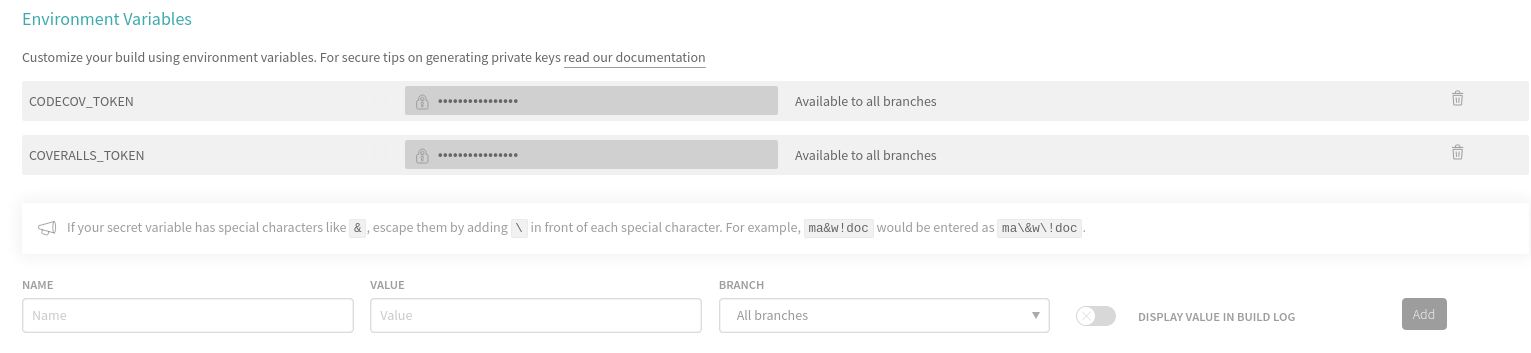
The CODECOV_TOKEN could be set by entering the settings of the repository,
under More options > Settings, and fill in the fields under the
Environmental variables.
Via Gitlab CI
Setup the repository token via Settings > CI/CD. Click on the “expand”
button and then the “Add Variable” button on the bottom left.
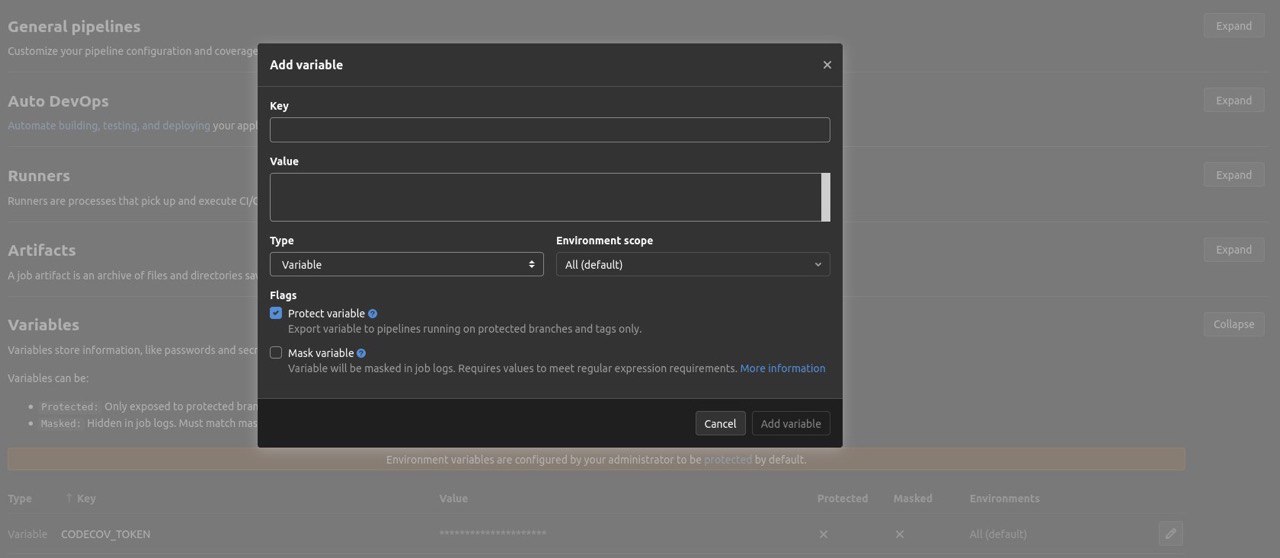
Uncheck the “Protect Variable” option and enter the following:
Key: CODECOV_TOKEN
Value: {Your Codecov Token}
After the token has been added, the CODECOV_TOKEN variable should
appear under the Variables section. Next, add the following lines in
the .gitlab-ci.yml configuration file in the respective sections:
before_script:
  - apk add --update bash coreutils tar curl
  - git clone --quiet --depth 1 https://github.com/ros-industrial/industrial_ci .industrial_ci -b master
...
variables:
  CODE_COVERAGE: "codecov.io"
  CODECOV_TOKEN: $CODECOV_TOKEN
Coveralls
Repository selection
After the registration, you would be brought to a page to select the
repository for code coverage. Click on the Add Repo button on the
left sidebar and you would be brought to another page.

Select the repository of interest by toggling the switch beside the title. Click on details and take note of the token.
Via Github Actions
Setup the coveralls token as an Github secret variable, as
COVERALLS_TOKEN. (Refer to Via Github Actions for more details.)
Name: COVERALLS_TOKEN
Value: {Your Coveralls Token, as shown previously}
After that, append the following lines (after the industrial_ci
job section) to your github action configuration file located in
.github/workflows directory:
...
jobs:
  industrial_ci:
    strategy:
      matrix:
        env:
          - {ROS_DISTRO: foxy, ROS_REPO: main}
    env:
      CODE_COVERGAE: coveralls.io
      COVERALLS_REPO_TOKEN: "..."
    runs-on: ubuntu-latest
    steps:
    ...
Via Travis CI
Add the following lines in the .travis.yml configuration file to
upload the report to coveralls:
env:
  global:
   - CODE_COVERAGE="coveralls.io"
   #- COVERALLS_REPO_TOKEN=$COVERALLS_TOKEN # For private repo
Note
Refer to CODECOV_TOKEN setup for more details on setting up the COVERALLS_TOKEN.
Via Gitlab CI
Setup the coveralls token as a Gitlab variable, as
COVERALLS_TOKEN. (Refer to Via Gitlab CI for more details.)
Name: COVERALLS_TOKEN
Value: {Your Coveralls Token}
After that, add the following lines in the .gitlab-ci.yml configuration
file in the respective sections:
before_script:
  - apk add --update bash coreutils tar grep curl           # Install industrial_ci dependencies
  - apk add --update python3 py3-pip python3-dev            # Extra tools needed
  - git clone --quiet --depth 1 https://github.com/ros-industrial/industrial_ci .industrial_ci -b master
...
variables:
  CODE_COVERAGE: "coveralls.io"
  COVERALLS_REPO_TOKEN: $COVERALLS_TOKEN
Overall example configuration(s)
Here are some examples of the complete configuration for the respective CI(s), more detail are available in the above sections.
Gitlab CI
 image: docker:git                                          # docker and git clients

 services:
   - docker:19.03.5-dind                                    # enable docker-in-docker

 cache:
   key: ${CI_JOB_NAME}
   paths:
     - .ccache/

 before_script:
#  - git clone --quiet --depth 1 https://github.com/ros-industrial/industrial_ci .industrial_ci -b master

   - apk add --update bash coreutils tar grep curl           # Install industrial_ci dependencies
   - apk add --update python3 py3-pip python3-dev            # Extra tools needed for coveralls.io, can comment out if using codecov
   - git clone --quiet --depth 1 https://github.com/Briancbn/industrial_ci/ .industrial_ci -b pr-coverage-rebased

 variables:
   TMPDIR: "${CI_PROJECT_DIR}.tmp"
   DOCKER_RUN_OPTS: "-v /etc/ssl/certs:/etc/ssl/certs:ro"
   CCACHE_DIR: "${CI_PROJECT_DIR}/.ccache"
   # ===== Code Coverage Services =====
   # === codecov.io ===
   #CODE_COVERAGE: "codecov.io"
   #CODECOV_TOKEN: $CODECOV_TOKEN
   # === coveralls.io ===
   CODE_COVERAGE: "coveralls.io"
   COVERALLS_REPO_TOKEN: $COVERALLS_TOKEN

 foxy-main:
   variables:
     ROS_DISTRO: "foxy"
     ROS_REPO: "main"
     ISOLATION: "shell"

   script:
       - .industrial_ci/gitlab.sh

 foxy-testing:
   variables:
     ROS_DISTRO: "foxy"
     ROS_REPO: "testing"
     ISOLATION: "shell"

   script:
       - .industrial_ci/gitlab.sh
Travis CI
language: generic
services:
  - docker

cache:
  directories:
    - $HOME/.ccache

env:
  global:
    - CCACHE_DIR=$HOME/.ccache
    - CODE_COVERAGE="coveralls.io"                              # Or codecov.io, comment it if not in use
    - CODECOV_TOKEN=$CODECOV_TOKEN               # For private repo
    #- COVERALLS_REPO_TOKEN=$COVERALLS_TOKEN     # For private repo

  matrix:
    - ROS_DISTRO="foxy" ROS_REPO=testing
    - ROS_DISTRO="foxy" ROS_REPO=main

install:
  #- git clone --quiet --depth 1 https://github.com/ros-industrial/industrial_ci.git .industrial_ci -b master     # Default
  - git clone --quiet --depth 1 https://github.com/Briancbn/industrial_ci/ .industrial_ci -b pr-coverage-rebased  # For code coverage service

script:
  - .industrial_ci/travis.sh
Github Actions CI
name: GH-Actions-CI

# This determines when this workflow is run
on: [push, pull_request] # on all pushes and PRs

jobs:
  industrial_ci:
    strategy:
      matrix:
        env:
           - {ROS_DISTRO: foxy, ROS_REPO: testing}
           - {ROS_DISTRO: foxy, ROS_REPO: main}
    env:
      CCACHE_DIR: /github/home/.ccache                          # Directory for ccache (and how we enable ccache in industrial_ci)
      CODE_COVERAGE: coveralls.io                               # Select either codecov.io or coveralls.io, else comment it out
      COVERALLS_REPO_TOKEN:  ${{ secrets.COVERALLS_TOKEN }}     # Required only for coveralls, set repo secret in settings

    runs-on: ubuntu-latest
    steps:
      - uses: actions/checkout@v2
      # This step will fetch/store the directory used by ccache before/after the ci run
      - uses: actions/cache@v2
        with:
          path: ${{ env.CCACHE_DIR }}
          key: ccache-${{ matrix.env.ROS_DISTRO }}-${{ matrix.env.ROS_REPO }}
      # Run industrial_ci
      #- uses: 'ros-industrial/industrial_ci@master'
      - uses: 'Briancbn/industrial_ci@pr-coverage-rebased'    # For code coverage upload service, use this branch for now. Else, use the main one above.
        env: ${{ matrix.env }}

      # Upload report for codecov, not required for coveralls
      #- name: Codecov report upload
      #  uses: codecov/codecov-action@v1.5.0
      #  with:
      #    token: ${{ secrets.CODECOV_TOKEN }}